Built the learning surface for hundreds of thousands of Lens Studio creators spanning non-coders, expert developers, brand marketers, and Gen Z first-time builders — five personas across four learning preferences and six rungs of the curve, instrumented against publish funnel and first customization.
Lens Studio's creator base spans non-coders to expert developers, brand marketers to 3D designers, and Gen Z creators making their first Lens at age nine. They share one destination — a shipped Lens — but they need radically different doors to get there. Designing for that range without fragmenting into separate sub-products is the central problem of the developer experience. The education program is its answer.
Various teams across Snap build these surfaces together. My contributions sat across all four — I published a number of sample projects, web tutorials, and YouTube video tutorials on Snap's channel, and I added the matrix to the interactive in-tool tutorial. I helped instrument these surfaces against publish rate × quality cohorts so the loop kept closing.
Five personas
Persona is who the creator is. Each shows up with a different starting vocabulary, a different tolerance for friction, and a different reason to quit.
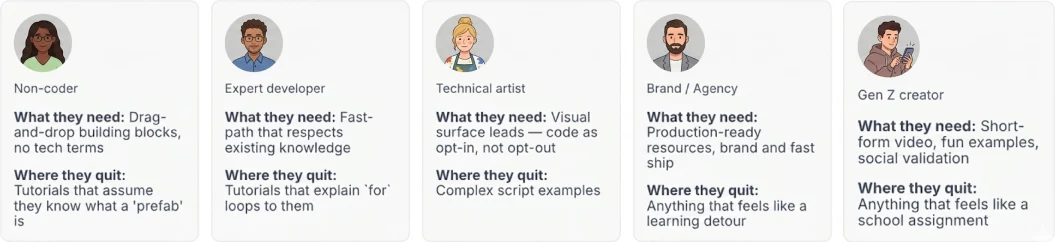
Two axes — learning preference and learning curve
Persona names who. Two more axes describe how creators learn — and the surfaces have to address both.
The first axis is learning preference: same skill level, different cognitive style. Readers want the doc, the API, the authoritative text. Watchers want to see someone build it before attempting it. Followers want a step-by-step path with checkpoints. Tinkerers want to poke around and see what happens.
The second axis is learning curve: every creator walks the same six rungs — first install, first effect on screen, first saved project, first published Lens, recurring creator, contributor — but at radically different speeds and from different entry points. The design lever is recognizing where each (persona × learning preference) lands when they first show up.
Where each persona enters the platform — experts read end-to-end, all the way to contributor. Gen Z and brand creators watch at the early rungs, with brand also re-engaging at recurring creator. Non-coders follow tutorials in the first-effect / first-saved-project window. 3D designers tinker at install and first-effect. Most personas cluster on the early rungs, experts span the whole climb.
Forcing a learning preference is a faster way to lose a creator than any technical complexity.
Five design principles
Five rules every surface gets evaluated against:
- Goal-driven, not feature-driven. Tutorials answer "how do I make the thing I came here to make?" — not "what does this thing do?"
- Built on doing, not reading. Except for readers — match the modality. The interactive in-tool tutorial framework exists for this principle.
- Show the outcome before the steps. Lead with the finished Lens. Let the result earn the right to ask for the climb.
- Familiarity bridges complexity. Recognition signals — icon-as-screenshot, preserved vocabulary — let creators walk into something new without flinching.
- Respect the learning preference. Four modalities. The creator picks.
Design decisions in practice
The principles translate into specific surface choices.
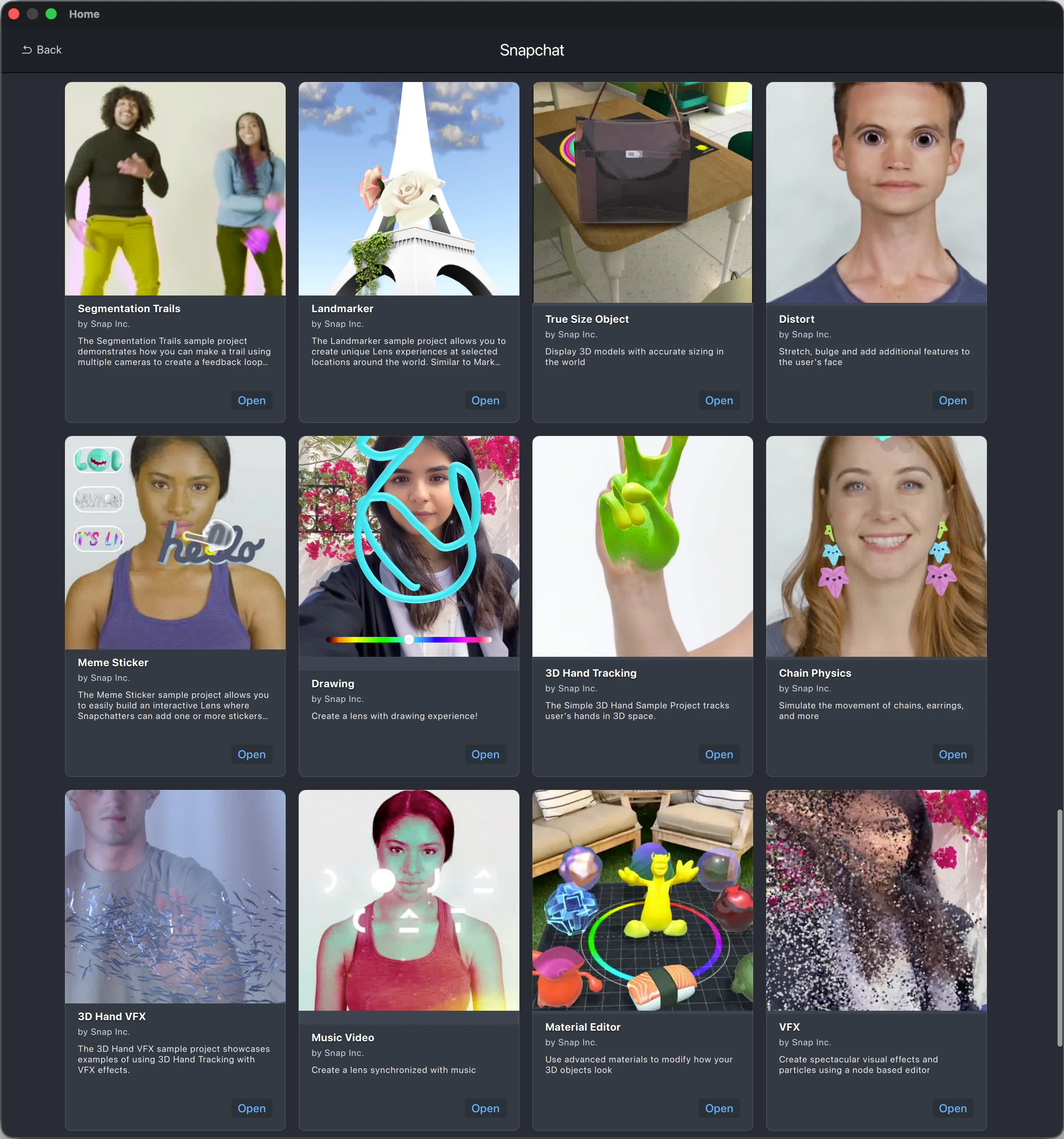
LS5 Home Page sample project
The rail ranks sample projects by popularity, weighted toward clear use cases and complex setups that earn the showcase slot. I published a number of the sample projects that ship on this rail, ranging from beginner-tier first-effect samples to recurring-creator-tier advanced patterns.
Web tutorials on developers.snap.com
Tutorials are structured by creator goal, not by platform feature — the same feature can appear across multiple tutorials, and that redundancy is worth it. Each one leads with the finished Lens so the motivation hook fires before the climb. Tutorials stay separate from feature guides. The reader and the follower use them at different moments, and merging would serve neither.
I wrote a number of these tutorials, following the goal driven structure (the design principle this section makes concrete) rather than organizing them around a platform feature.
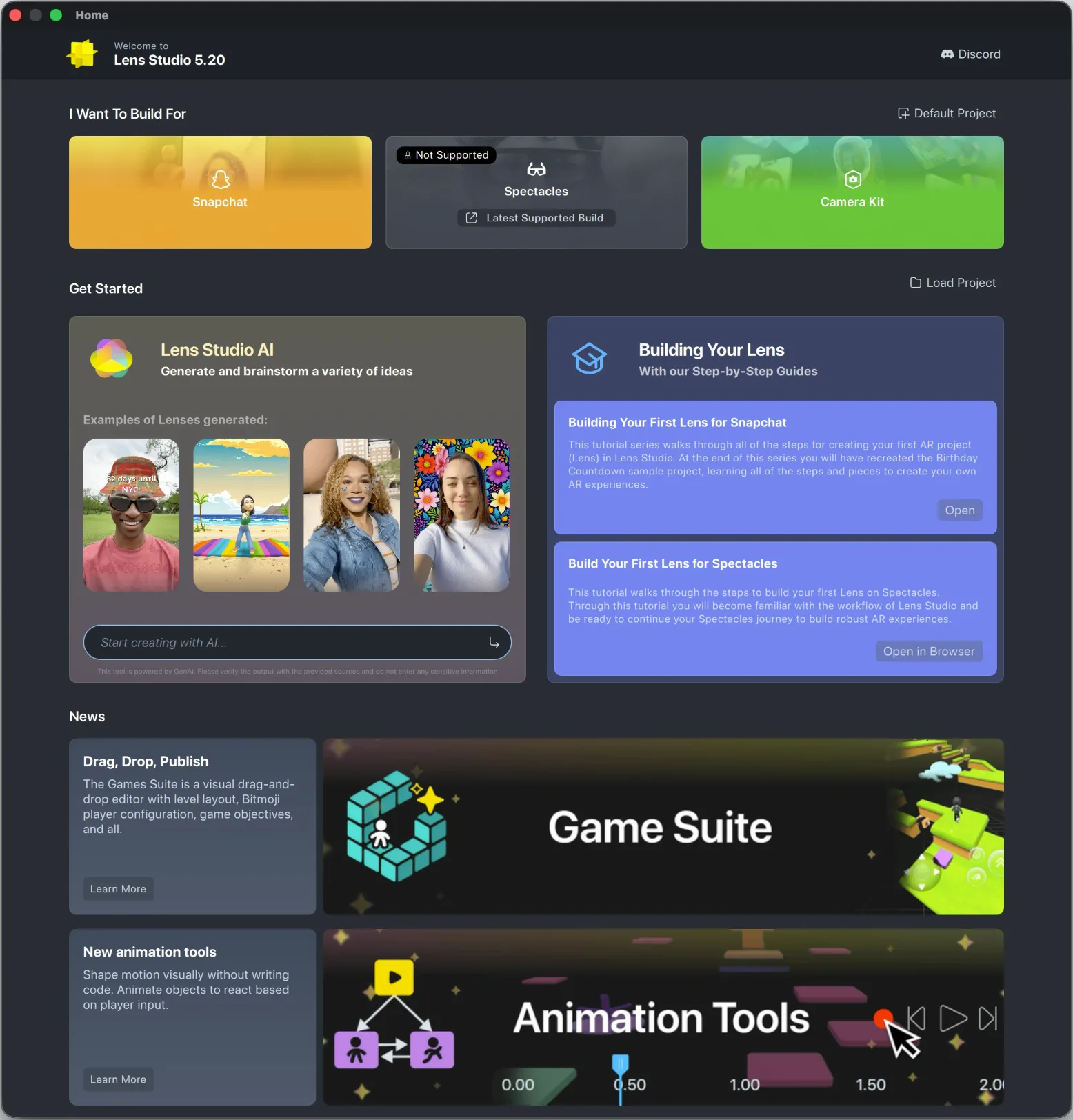
Interactive tutorials
The tutorial is a contextual overlay, not a modal — it points at the place in the IDE where the next action happens. It's always skippable — followers want the structure, tinkerers want to abandon at step three and explore. Both are valid paths. Each tutorial ends with a publishable artifact, not a "Congrats" screen.
On this framework, I added the matrix that helps creators see where their published Lens lands against publish rate × quality benchmarks.
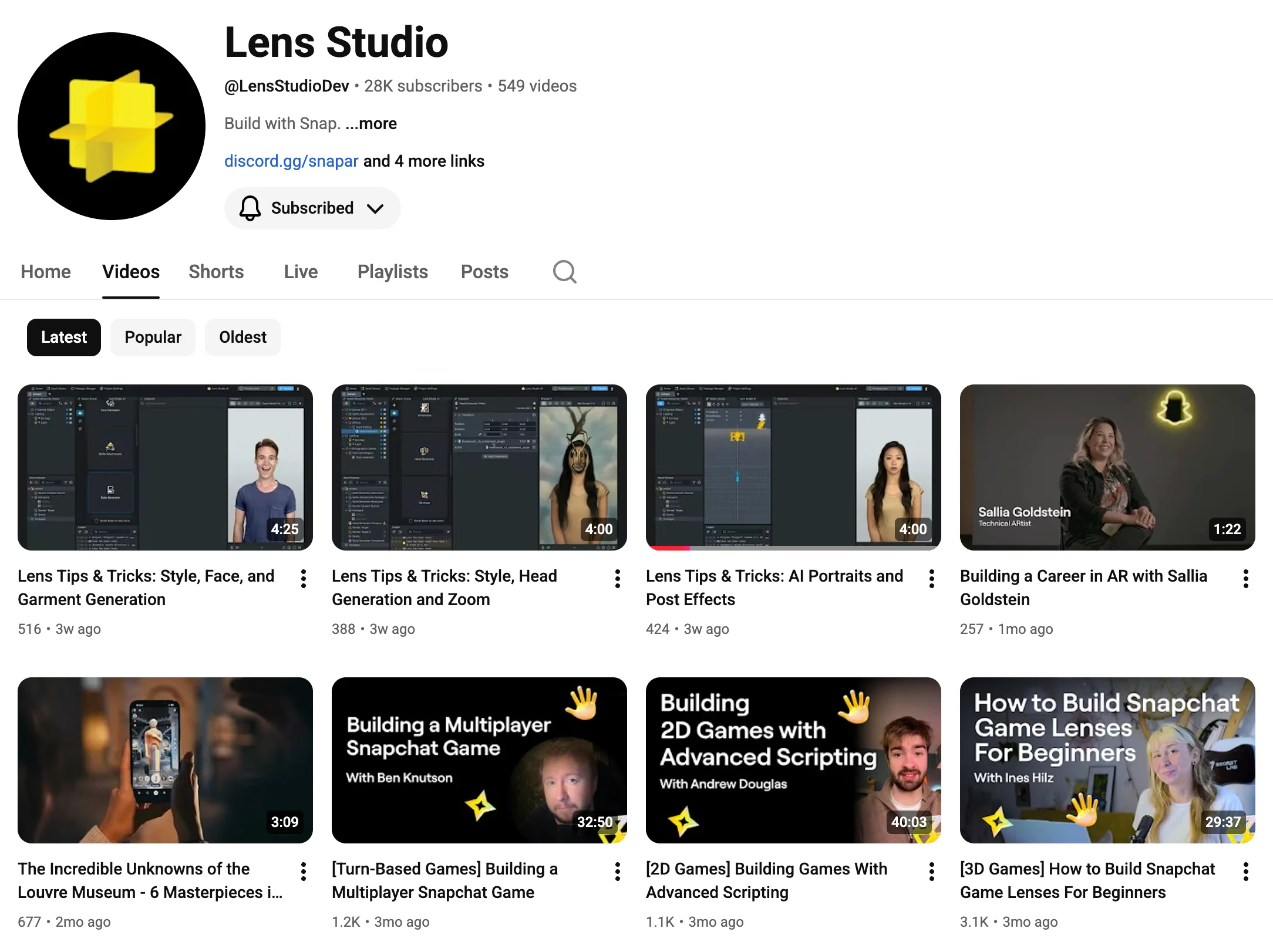
Video tutorials on Snap's YouTube
Snap's YouTube channel hosts the watcher's primary surface — full-length tutorials, AWE keynotes, Lens Festival demos. Per-release promotion layers across all four surfaces, but YouTube is where the watcher cohort actually shows up.
I published a number of the video tutorials on this channel.
Activation: the publish flow and first customization
Sample → publish is the recommended flow, not blank-canvas authoring — it cuts blank-page paralysis at the most fragile moment. Customization is invited, not required: a creator can publish as-is, but the interactive tutorials nudge them toward at least one tweak, because that's where the Lens starts feeling theirs.
One destination, four doors
A visitor lands on the LS5 Home Page or Website. The rail dispatches them toward whichever of the four learning-preference doors fits — read, watch, follow, or tinker. All four converge on a published Lens. Recurring creators eventually loop back as contributors.
The reward and the activation problem
The platform's reward economy is stacked in the creator's favor. Lens Studio makes the publish flow easy, and once a Lens is live, it reaches Snapchat's audience at a scale where hit Lenses earn billions of views. A creator who clears the first publish is dropped into a loop that compounds.
The design problem isn't keeping creators rewarded once they're in the loop. It's getting them into the loop in the first place.
Two activation moments matter most. The first published Lens — until a creator ships once, the reward economy is theoretical to them. The first customization — a creator who only opens sample project and hits publish doesn't yet feel the Lens is theirs. After those two moments, the rewards stack and the loop closes.
Measurement
Two signals matter most. The publish funnel — from empty project, starter project, sample project, or interactive tutorial through to a published Lens — tells us which entry surface is converting and where creators drop off. First customization tells us whether the Lens started feeling like the creator's own. Publishing a sample project untouched is empty activation. Customization is the signal that the loop has actually closed, and the drop-off pattern is what points the next iteration of the content.